Describe the shot.
Kerados finds it.
Local AI search across your videos and photos. Type what you remember — a mood, a face, a moment — and Kerados returns the exact frames. Nothing leaves your machine.
Kerados Free · 50 files · Every feature · No time limit
You didn’t become a creative to be a file librarian.
Terabytes of footage. Thousands of photos. The right five seconds buried somewhere in there. Kerados finds it in the time it takes to describe what you’re looking for.
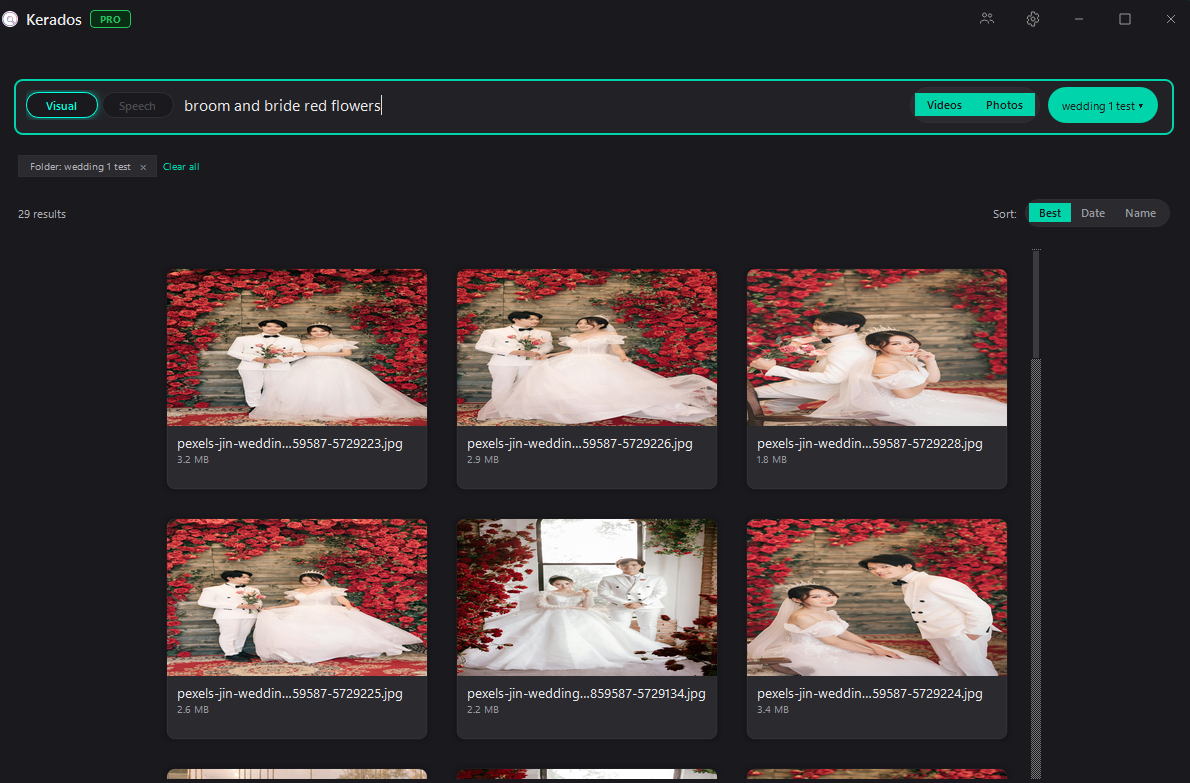
Describe what you see. Find every frame that matches.
Type a mood, a subject, a moment. Kerados indexes every scene of every file, so you can search the way you’d describe a shot out loud — “sunset over the ocean,” “guests toasting,” “drone shot of the cliffs.”
Results arrive in milliseconds. Filter by videos, photos, or a specific folder. Search in over a hundred languages.
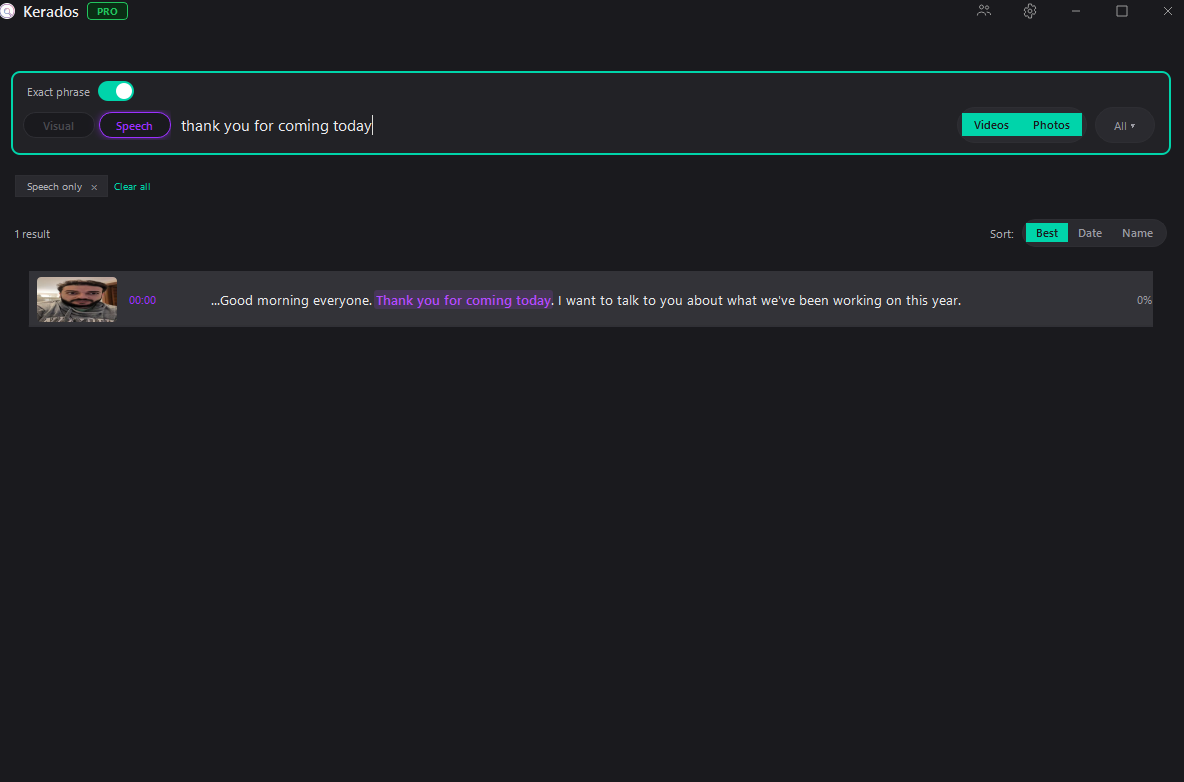
Find what was said, not just what was shown.
Kerados transcribes the audio in your videos locally. Search for a line from a speech, a name called out, a specific word — in over a hundred languages.
No voiceover spreadsheet. No manual timecodes. Just type what you remember hearing.
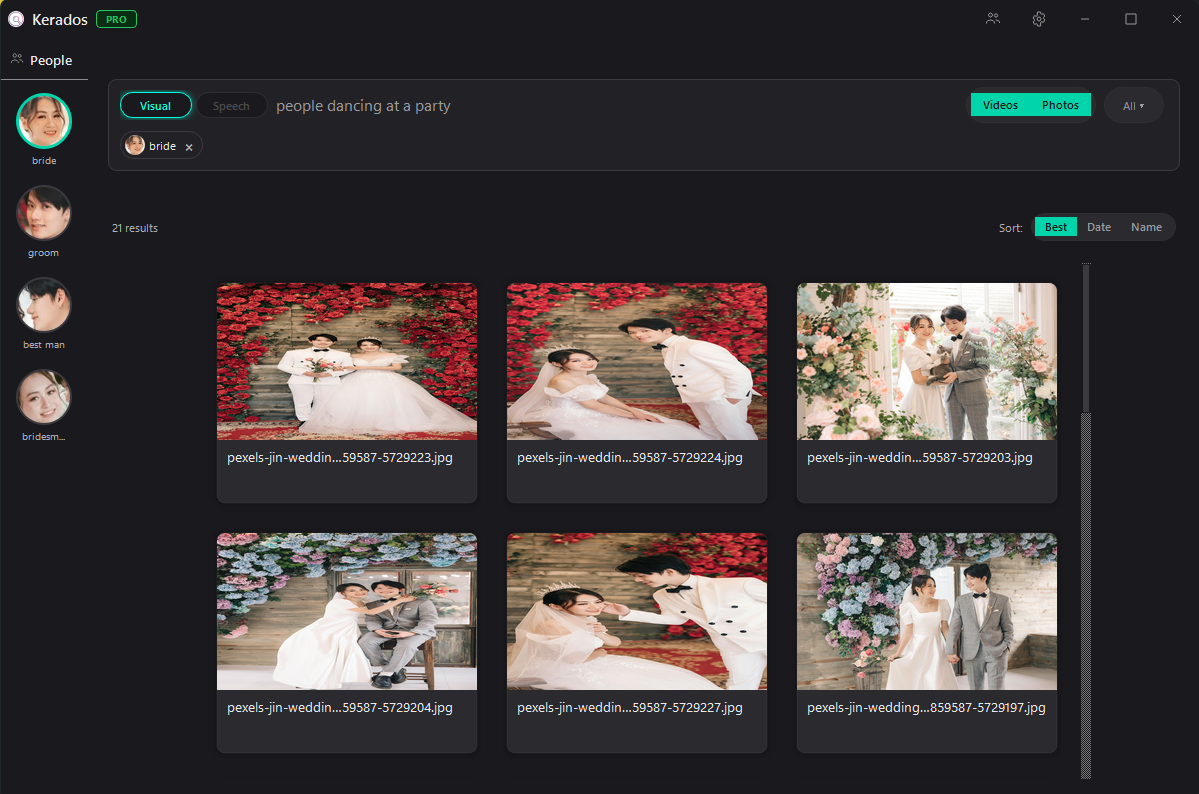
Tag a face once. Find them everywhere.
Point at someone in your library. Kerados returns every clip and every photo where they appear, across every folder.
Perfect for wedding edits, documentary work, or any project where a single person anchors the story.
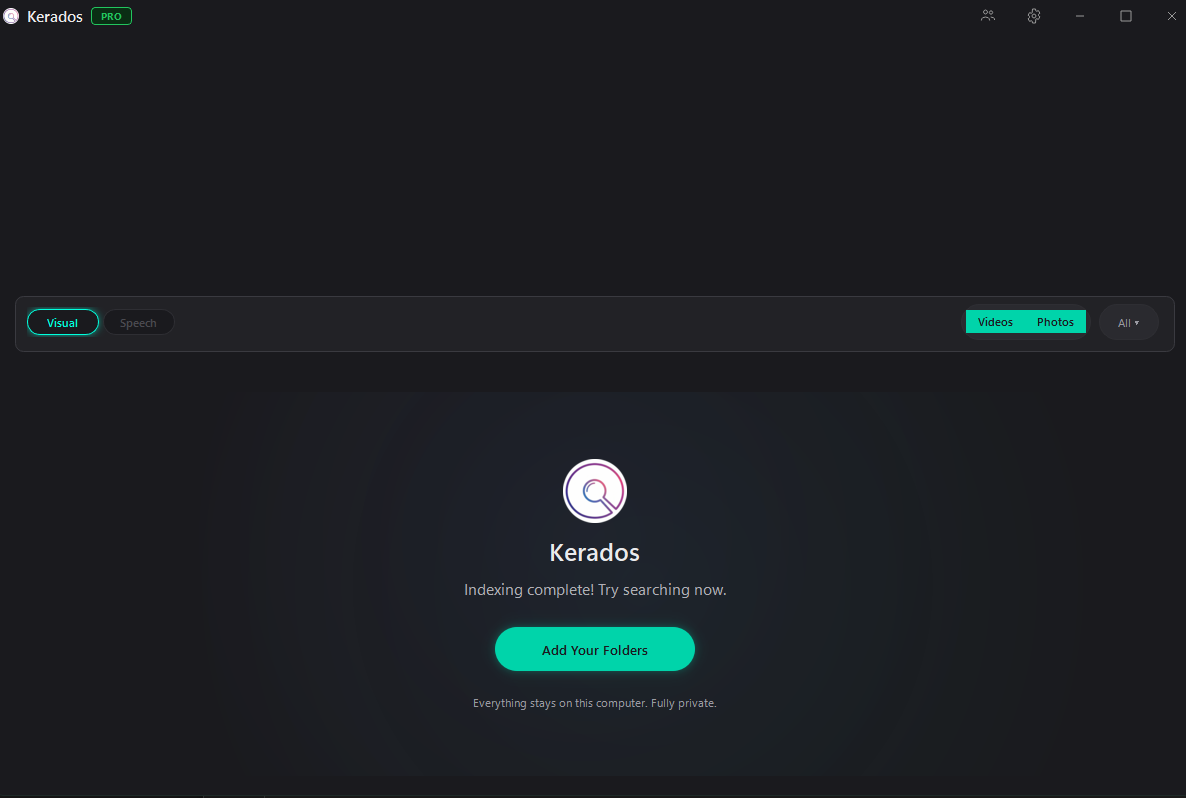
Everything stays on this computer. Fully private.
Kerados runs on your GPU. Your footage never touches a cloud server, never passes through someone else’s account, never becomes training data.
No uploads. No tracking. No login. The moment you close the app, nothing has moved.
Works with your footage.
Drag results straight into Premiere Pro · DaVinci Resolve · Lightroom · Photoshop · Final Cut
50 files indexed at a time · clear anytime to free up space
Yours forever. Nothing locked behind a paywall except capacity.
Get the launch emailUnlimited indexing · your whole library stays searchable
Unlimited files. Everything in Free, no ceiling.
Get the launch emailFrequently asked
Is Kerados really 100% local?
Yes. Every bit of processing happens on your machine. Your files are never uploaded, and Kerados works fully offline after installation. No cloud, no accounts, no data collection.
What kind of hardware do I need?
Kerados runs on Windows with an NVIDIA GPU (4 GB+ VRAM recommended). A modern CPU with 16 GB RAM handles most libraries. Indexing speed scales with your GPU — faster cards mean faster indexing.
What file formats are supported?
Video: MP4, MOV, AVI, MKV, WMV, WEBM. Photos: JPG, PNG, RAW, WEBP, HEIC, BMP, TIFF. More added regularly based on user feedback.
How does the AI search work?
Kerados uses vision-language models to understand the content of your videos and photos. When you type a description like “sunset over the ocean,” it matches your query against visual content — not filenames or metadata. Face search uses a separate recognition model to find specific people across your library. Speech search transcribes audio locally so you can search what was said.
What languages does Kerados support?
Search queries work in over 100 languages — English, Spanish, French, German, Portuguese, Italian, Japanese, Chinese, Korean, Arabic, Hebrew, Hindi, Russian, Turkish, Dutch, Swedish, and many more. Just type your query in your language — no configuration. Speech search language support depends on the language spoken in your videos.
How much does Kerados cost?
Kerados Free lets you try it with up to 50 files — full features, no time limit. Ready for your full library? Kerados Pro is a one-time purchase at $169. No subscription. You buy it, it’s yours.
Is the free version limited to 50 files forever?
No. The free version keeps 50 files indexed and searchable at once. Clear your index anytime to make room for new files — there’s no lifetime limit on how many files you index over time. The full version removes the limit so everything stays searchable at once.
What happens to files I clear from the index?
Only the search index is removed — Kerados never touches, moves, or deletes your actual photos and videos. You can re-index any file later.
Can I use Kerados with Premiere / DaVinci / Lightroom?
Absolutely. Search results can be dragged directly into any editor that accepts file drops — Premiere Pro, DaVinci Resolve, Lightroom, Photoshop, Final Cut, and more. Kerados fits into your existing workflow.